
エージェント設定
エージェントは、特定の受信トレイのメール対応を行うAI人格です。このガイドでは、エージェント編集時に利用できるすべての設定項目を説明します。
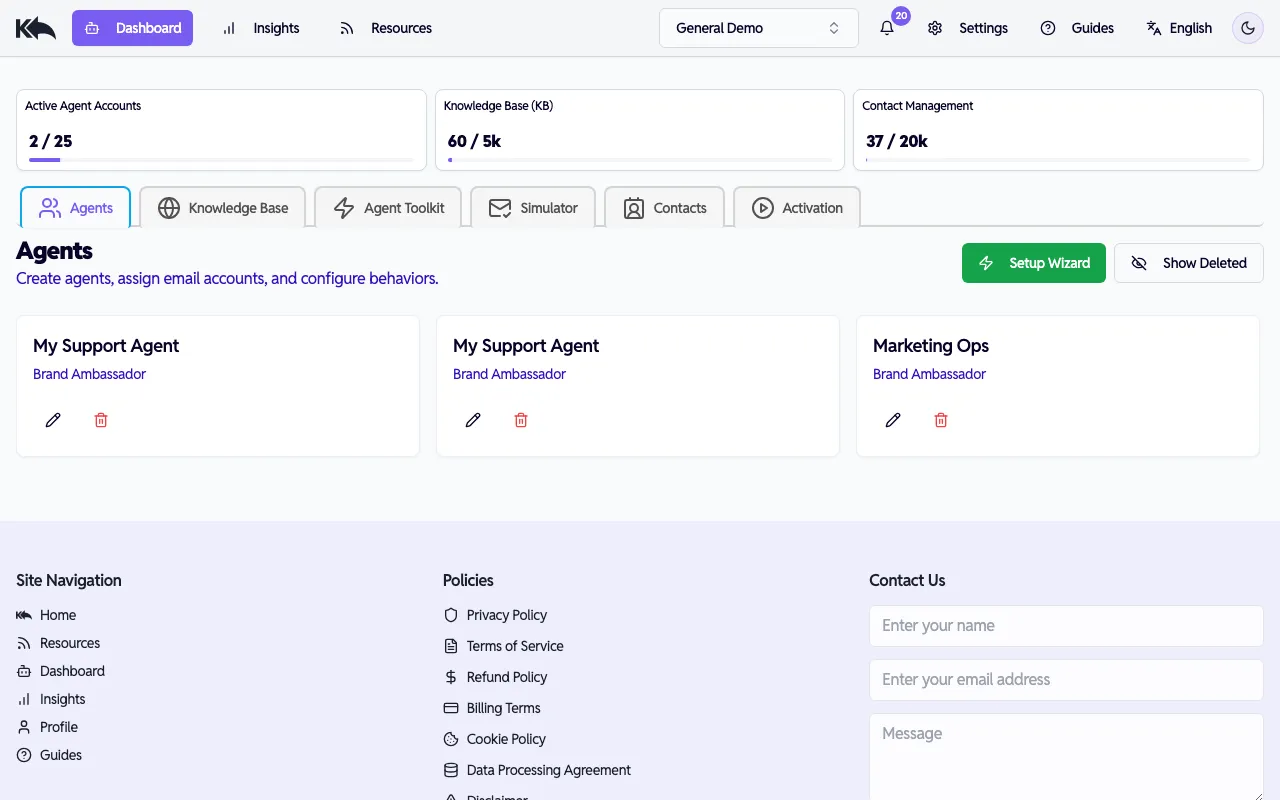
エージェントの作成方法
Section titled “エージェントの作成方法”Know Reply には3つの作成方法があります。
- サインアップ時 — メール/パスワードで登録し、WebサイトURLを入力すると、最初のエージェントが自動作成されます。クイックスタート を参照してください。
- Setup Wizard — Dashboard の Setup Wizard をクリックして、ガイド付きで新しいエージェントを作成します。クイックスタート を参照してください。
- Edit Agent — 任意のエージェントカードの鉛筆アイコンをクリックすると、以下で説明する完全な設定ダイアログを開けます。
エージェントを編集する
Section titled “エージェントを編集する”任意のエージェントカードの鉛筆アイコンをクリックして Edit Agent ダイアログを開きます。ダイアログには Configuration と Versions の2タブがあり、設定は4ステップに分かれています。
ステップ1: 基本情報
Section titled “ステップ1: 基本情報”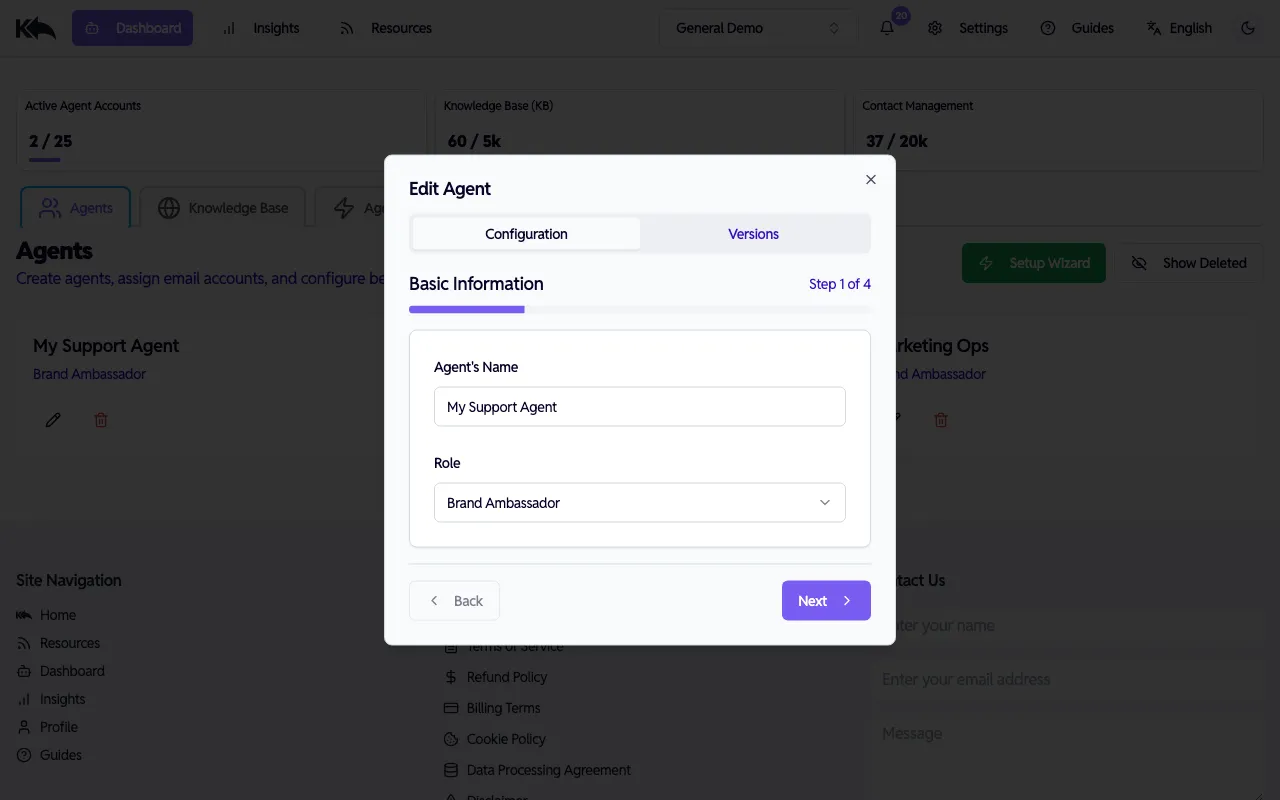
- Agent’s Name — Dashboard とメール署名でエージェントを識別する名前
- Role — エージェントの役割。プリセットから選択:
- Customer Support、eCommerce Sales、General Inquiries、Enterprise Sales
- Community Manager、Brand Ambassador、Coach、Influencer
- 各ロールには既定のペルソナとトーンが付属
ステップ2: 特別指示
Section titled “ステップ2: 特別指示”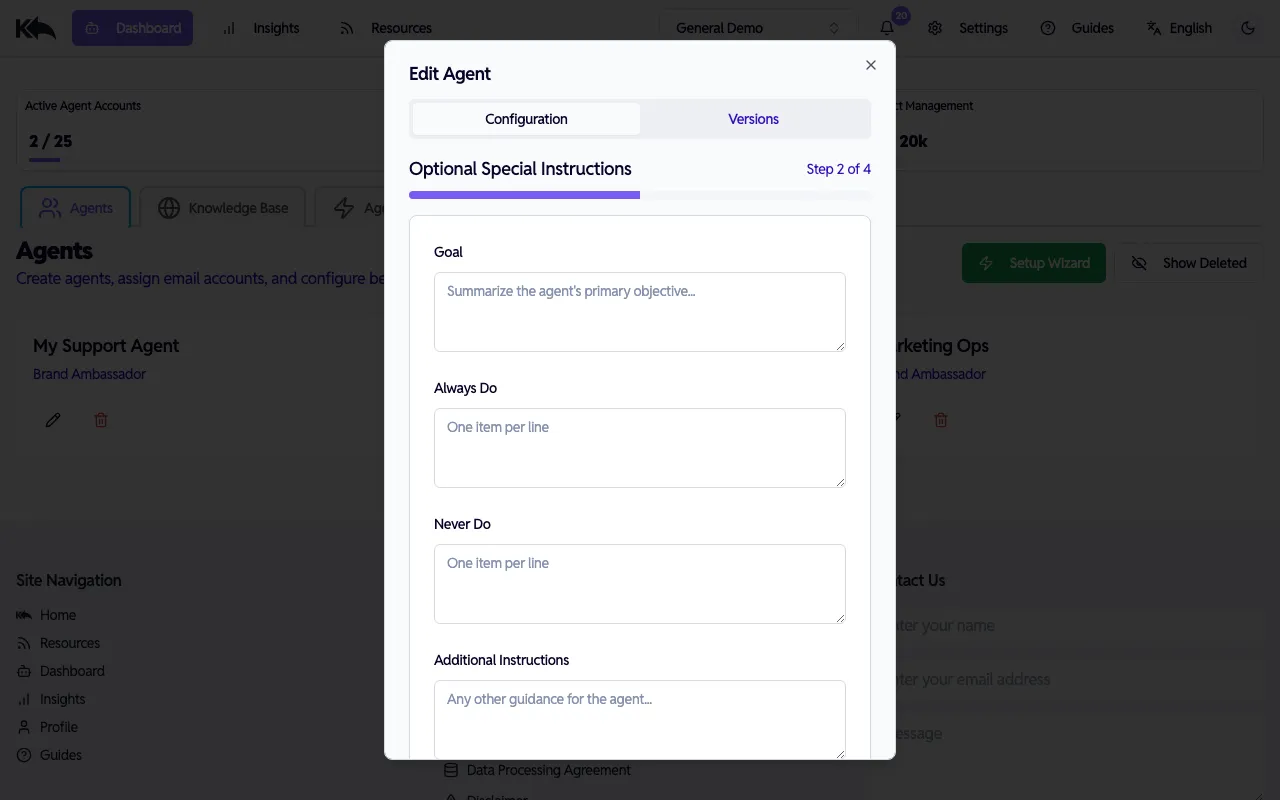
基本ペルソナに加えて、エージェントの振る舞いを微調整します:
- Goal — エージェントの主目的(例: 「請求問題を迅速に解決できるよう顧客を支援する」)
- Always Do — 常に守るべき行動(1行に1つ)
- Never Do — 避けるべき行動(1行に1つ)
- Additional Instructions — 会話対応に関する追加ガイダンス
ステップ3: ロジック
Section titled “ステップ3: ロジック”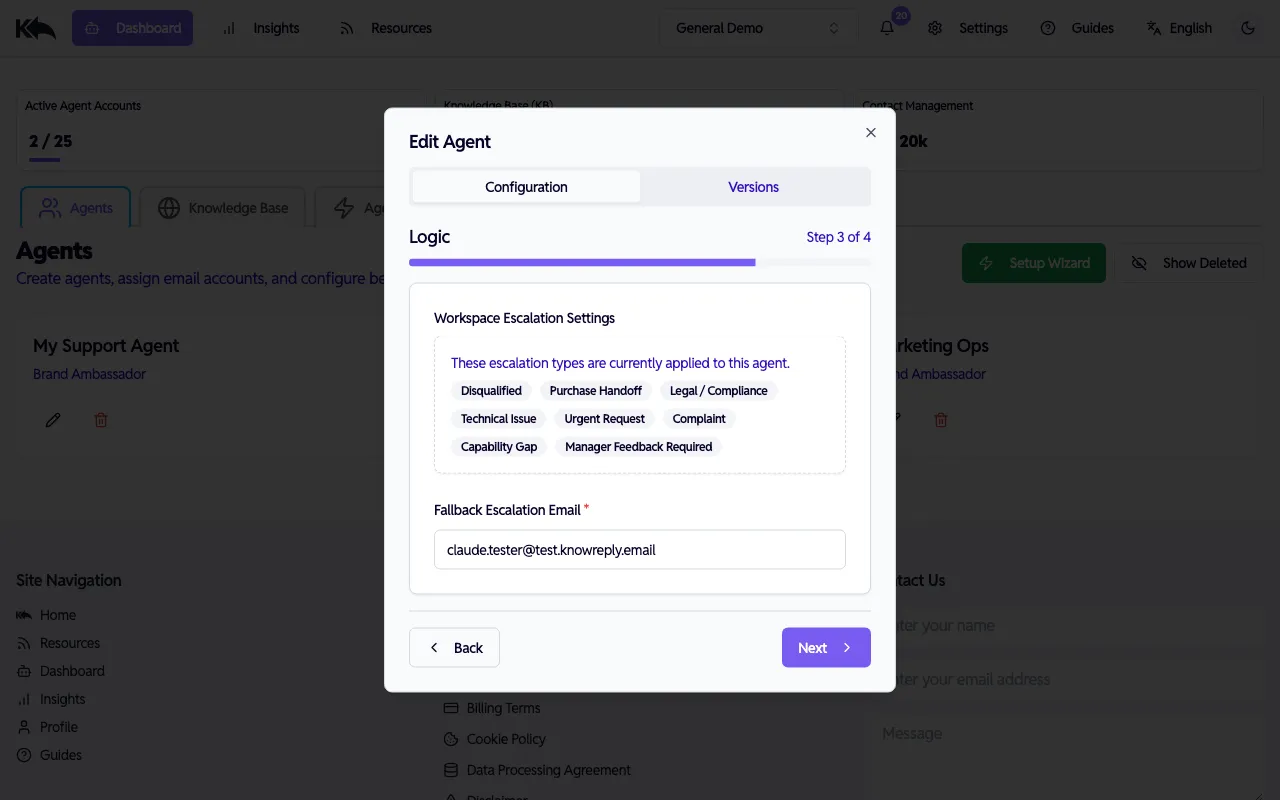
- Workspace Escalation Settings — このエージェントに現在適用されているエスカレーションタイプ(例: Disqualified、Purchase Handoff、Legal/Compliance など)を表示します。管理は Settings > Escalation Types で行います。
- Fallback Escalation Email — 必須。エージェントが人間へ引き継ぐ際、該当タイプに個別ルーティング先がない場合の転送先メールアドレスです。
ステップ4: 署名
Section titled “ステップ4: 署名”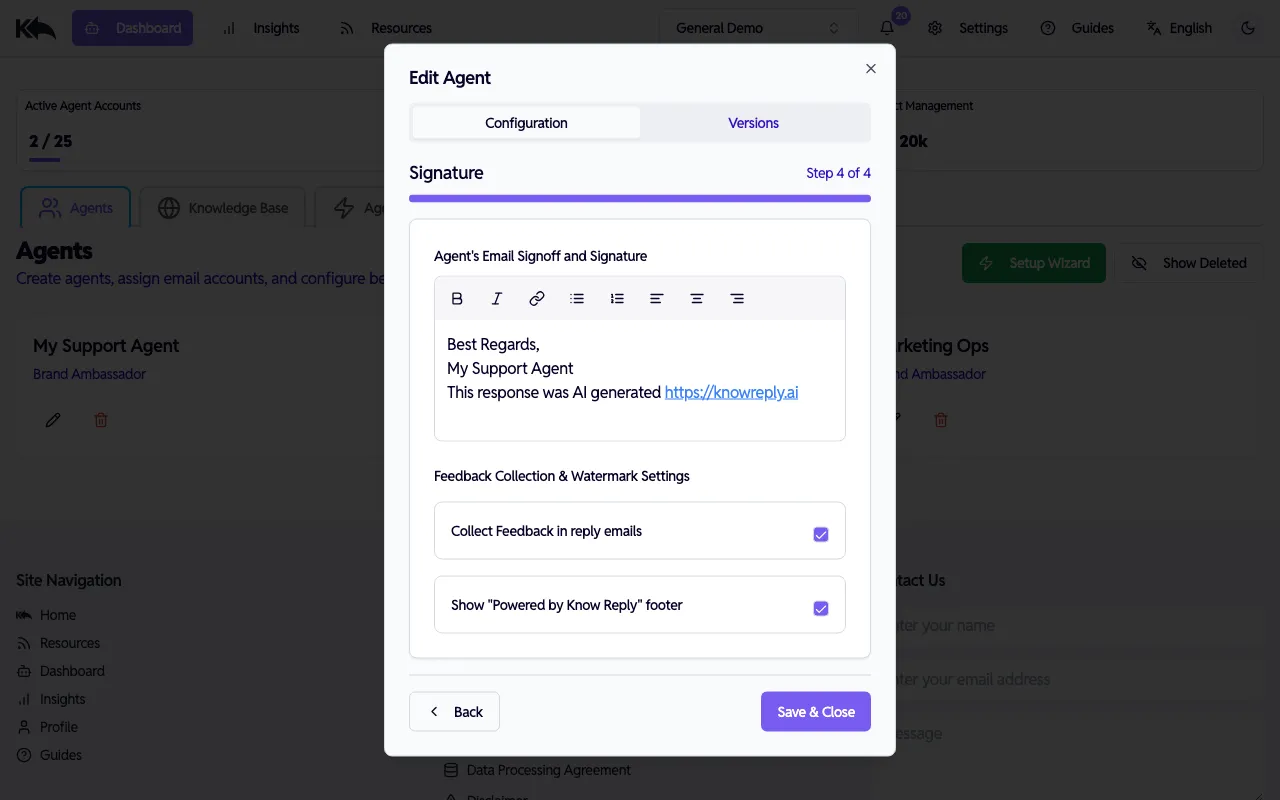
- Email Signoff — 各返信末尾に付与される署名。リッチテキスト(太字、斜体、リンク、リスト、配置)に対応し、ブランド表現に使えます。
- Collect Feedback — 有効化すると受信者が返信を評価できます。フィードバックは Knowledge Base FAQ ダッシュボード に表示されます。
- Show Watermark — 有効化すると返信に “Powered by Know Reply” フッターが表示されます。
Save & Close をクリックして変更を適用します。更新は新規メールに即時反映されます。
複数エージェント
Section titled “複数エージェント”複数の受信トレイ向けに複数エージェントを作成できます。各エージェントはペルソナ、トーン、ナレッジアクセス、エスカレーションルールを個別に持ち、完全に独立しています。
最良の結果は、何でも知っている1体より、特定領域に集中したエージェントで得られます。
部署別:
support@company.com→ サポートエージェント(トラブルシューティング、返品、ポリシー)sales@company.com→ 営業エージェント(価格、デモ、製品比較)hello@company.com→ 汎用エージェント(ルーティング、一般問い合わせ)
製品ライン別:
pro-support@company.com→ Pro製品エージェント(Pro製品ドキュメントのみ把握)enterprise-support@company.com→ Enterpriseエージェント(Enterprise機能とSLAを把握)
役割/対象別:
partners@company.com→ パートナーエージェント(B2Bトーン、提携知識)customers@company.com→ 顧客向けエージェント(B2Cトーン、製品知識)
代理店向け:
- クライアントごとに1エージェントを作成し、個別の workspace で知識とブランドを分離
プラン別エージェント上限
Section titled “プラン別エージェント上限”| Plan | Active エージェント |
|---|---|
| Free | 1 |
| Starter | 5 |
| Pro | 10 |
| Premium | 25 |
| Enterprise | Unlimited |
エージェント変更を保存するたびに新しいバージョンが作成されます。Edit Agent ダイアログの Versions タブで過去バージョンを確認し、差分比較や設定変遷の把握ができます。