
分析とインサイト
多くの企業は問題が起きたときだけ顧客の声を聞きます。Know Reply はキャンペーン、ニュースレター、トランザクションメールへのすべての返信を収集し、実行可能なインサイトに変換します。
ダッシュボード
Section titled “ダッシュボード”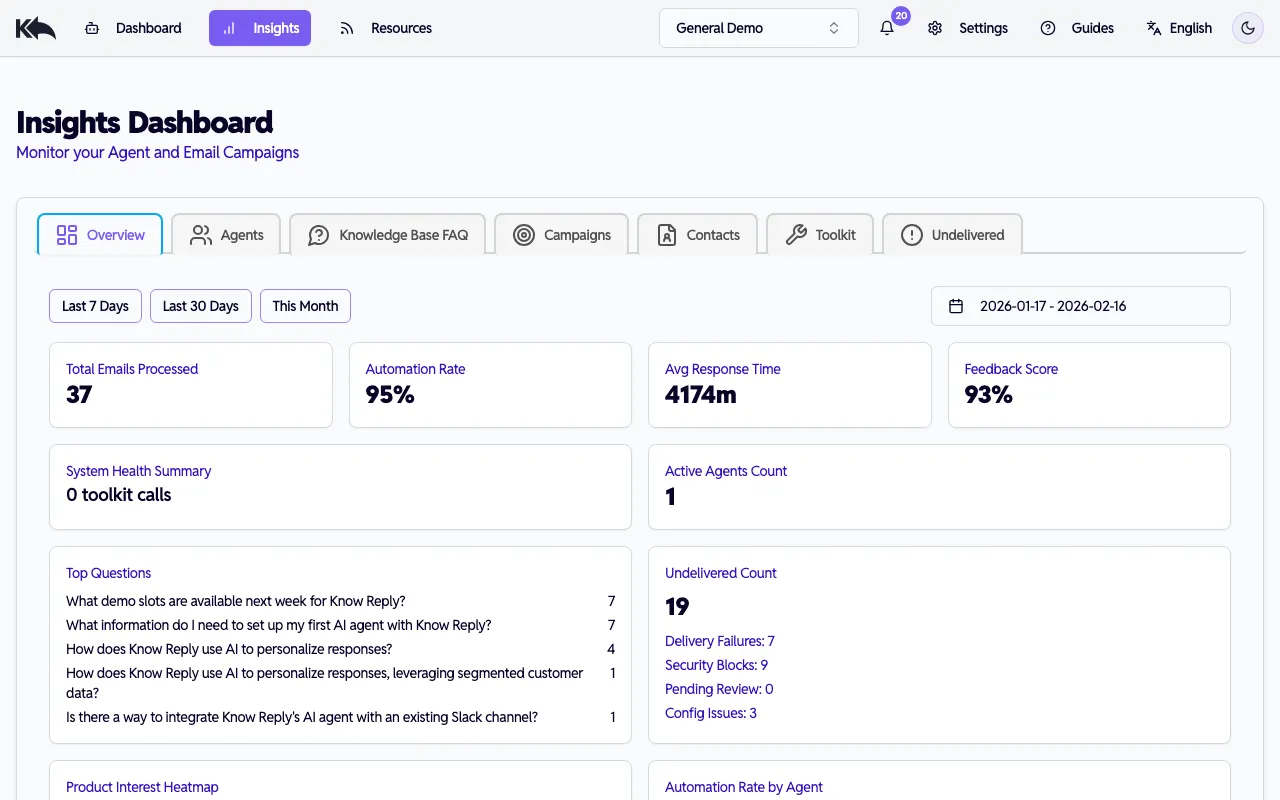
Know Reply には複数の分析ビューがあり、いずれも日付範囲フィルタとエージェント/アカウントフィルタに対応しています。
Agents Dashboard
Section titled “Agents Dashboard”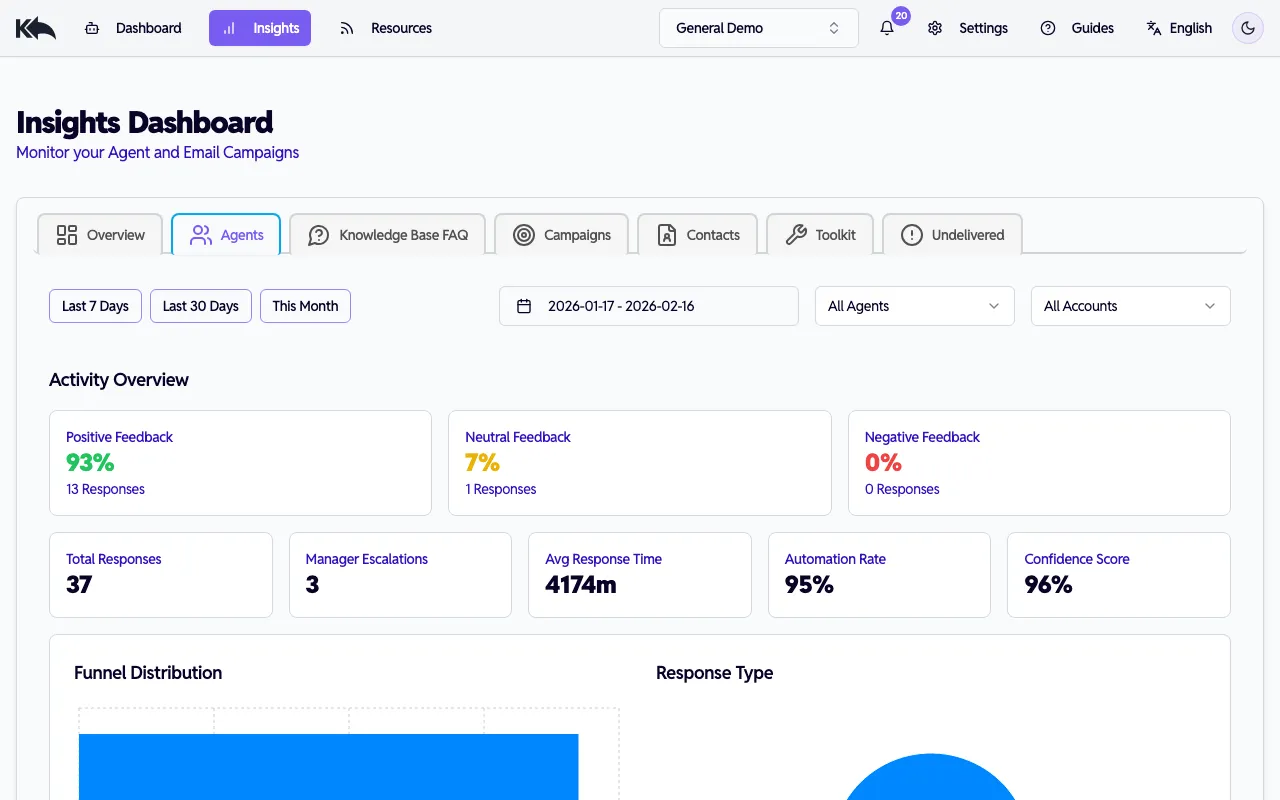
エージェントのパフォーマンスを確認:
Activity Overview
- ポジティブ/ニュートラル/ネガティブ フィードバック比率
- 総返信数
Response Quality
- 平均信頼度スコア
- manager へのエスカレーション数
- 平均応答時間(分)
Workload
- 総返信数
- 返信タイプ分布
日付範囲、エージェント、メールアカウントで絞り込み、特定パフォーマンスを深掘りできます。
Campaigns Dashboard
Section titled “Campaigns Dashboard”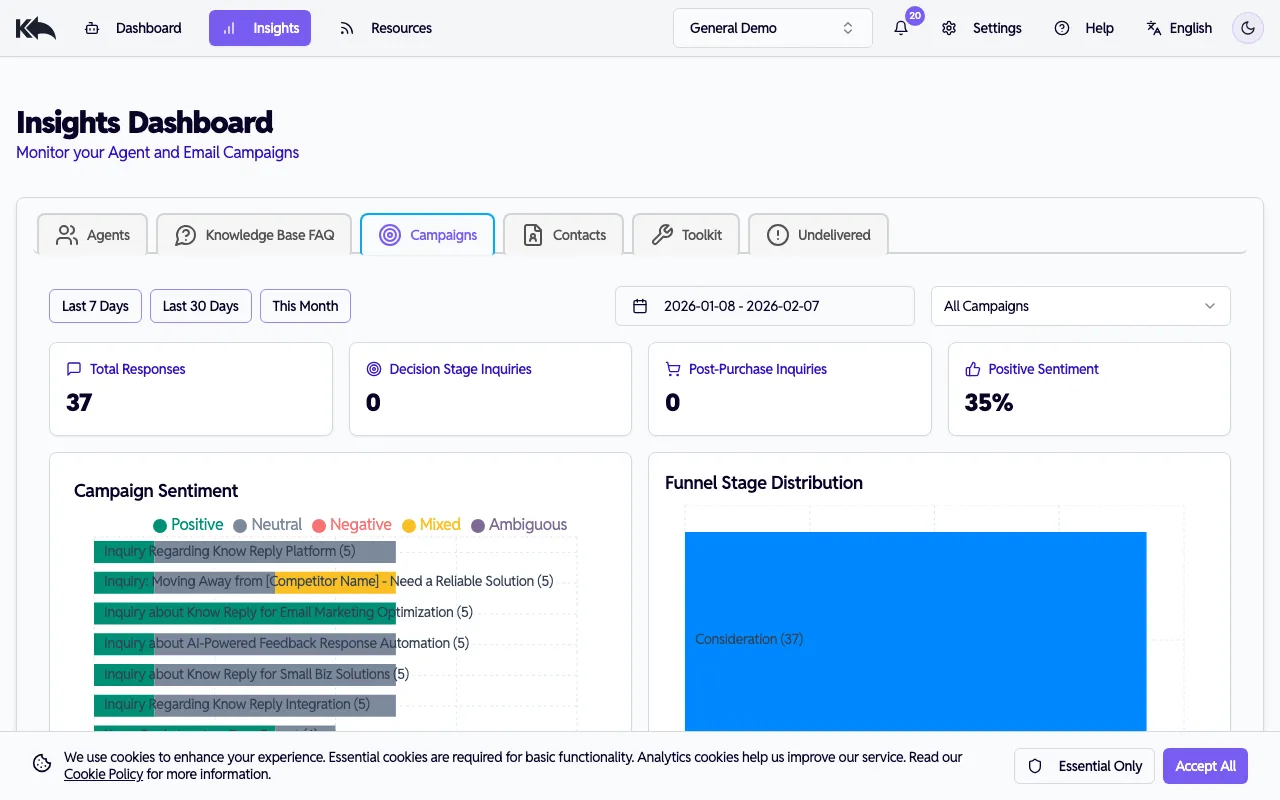
配信への反応を理解:
- Subject Ranking - 最も返信を生む件名
- Funnel Distribution - 連絡先がいる段階(Awareness、Consideration、Decision、Retention)
- Response Types - 受信返信のカテゴリ
- Escalation Reasons - 人間対応が必要になった理由
- FAQ Occurrences - よく聞かれる質問
- Conversion Potential - 検知された購買シグナル
- Retention Feedback - 既存顧客の感情傾向
件名でフィルタすると、特定キャンペーンの指標を確認できます。
Customers Dashboard
Section titled “Customers Dashboard”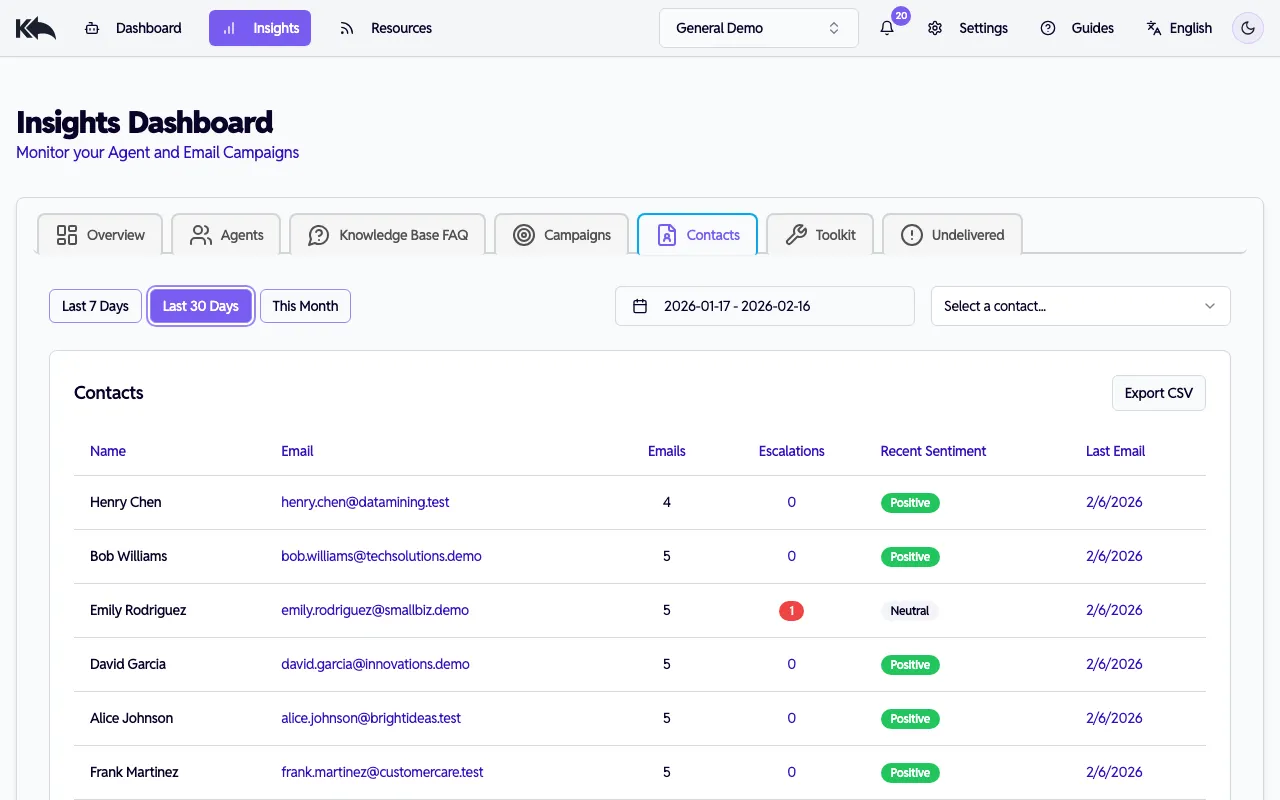
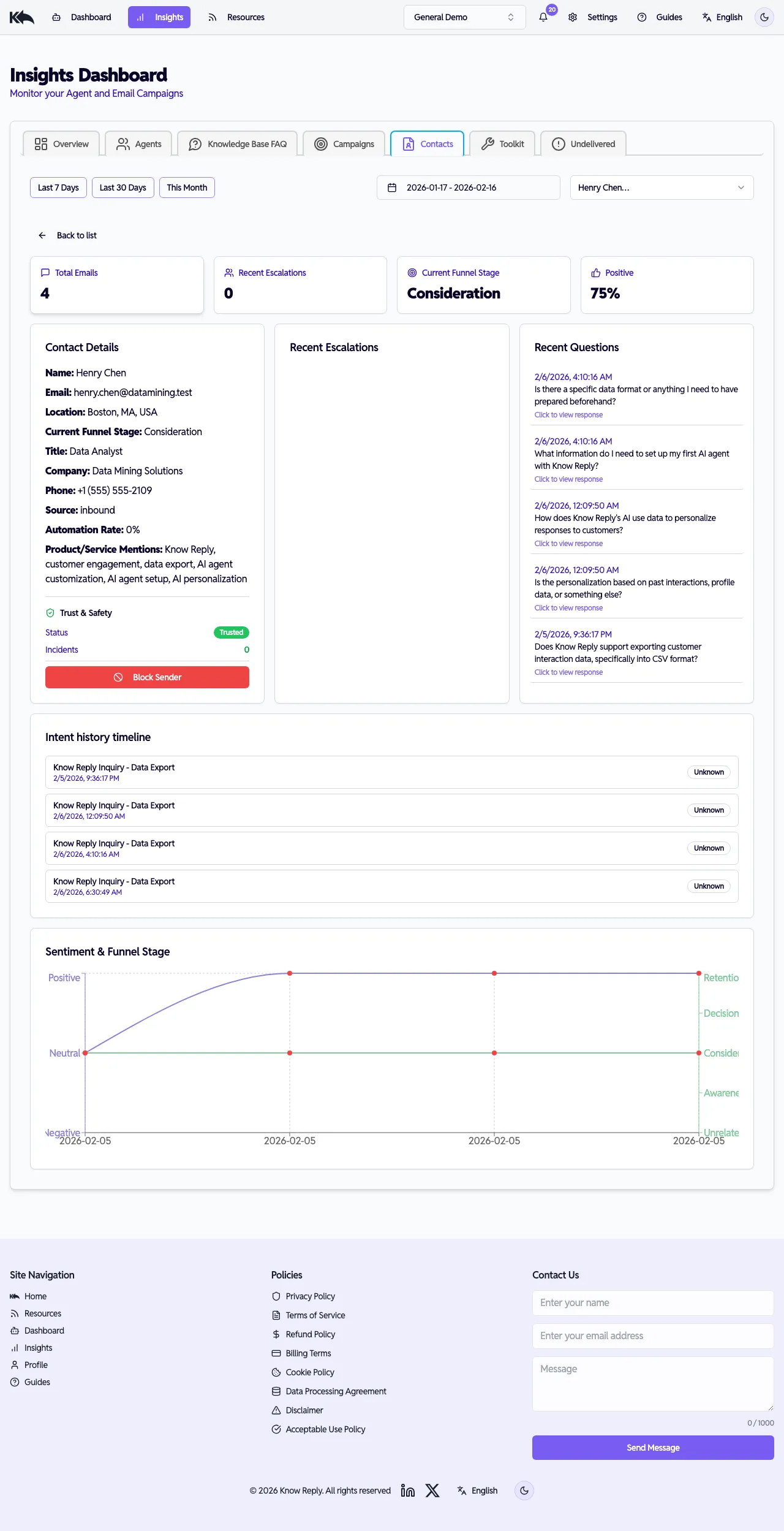
連絡先エンゲージメントと送信者信頼を追跡:
- Contact list — すべての連絡先について、メール件数、エスカレーション件数、最近の感情、最終メール日を表示
- Contact detail — 任意連絡先をクリックして完全プロフィールを表示:
- ファネル段階と感情内訳
- 最近の質問とエスカレーション履歴
- Trust & Safety セクション — trust status、incident、recent events、送信者の block/unblock や trust incident クリア機能(送信者の信頼性と安全性 を参照)
- Undelivered ダッシュボード内の送信者メールをクリックすると、直接その連絡先プロフィールへ移動
Knowledge Base & FAQ Dashboard
Section titled “Knowledge Base & FAQ Dashboard”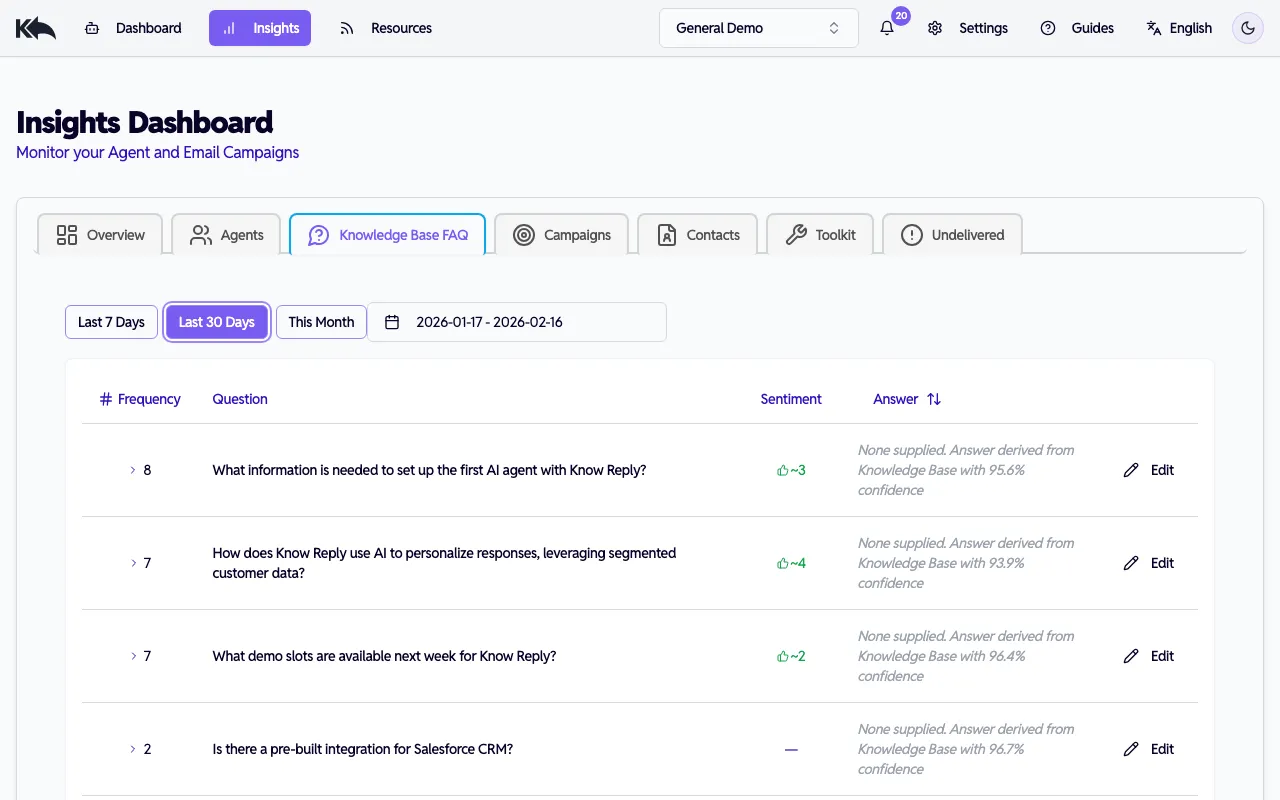
どの質問が来るか、コンテンツがどれだけ答えられているか、顧客の評価を確認できます:
- Frequency — 各質問の出現頻度
- Sentiment — 顧客からの概算の肯定/否定フィードバック件数(前回レビュー以降の新規内訳付き)
- Answer — 現在のFAQ回答(またはナレッジベース由来+信頼度スコア注記)
- Underperforming FAQs — 直近30日で否定評価3件以上で琥珀色背景に強調
FAQをレビューする
Section titled “FAQをレビューする”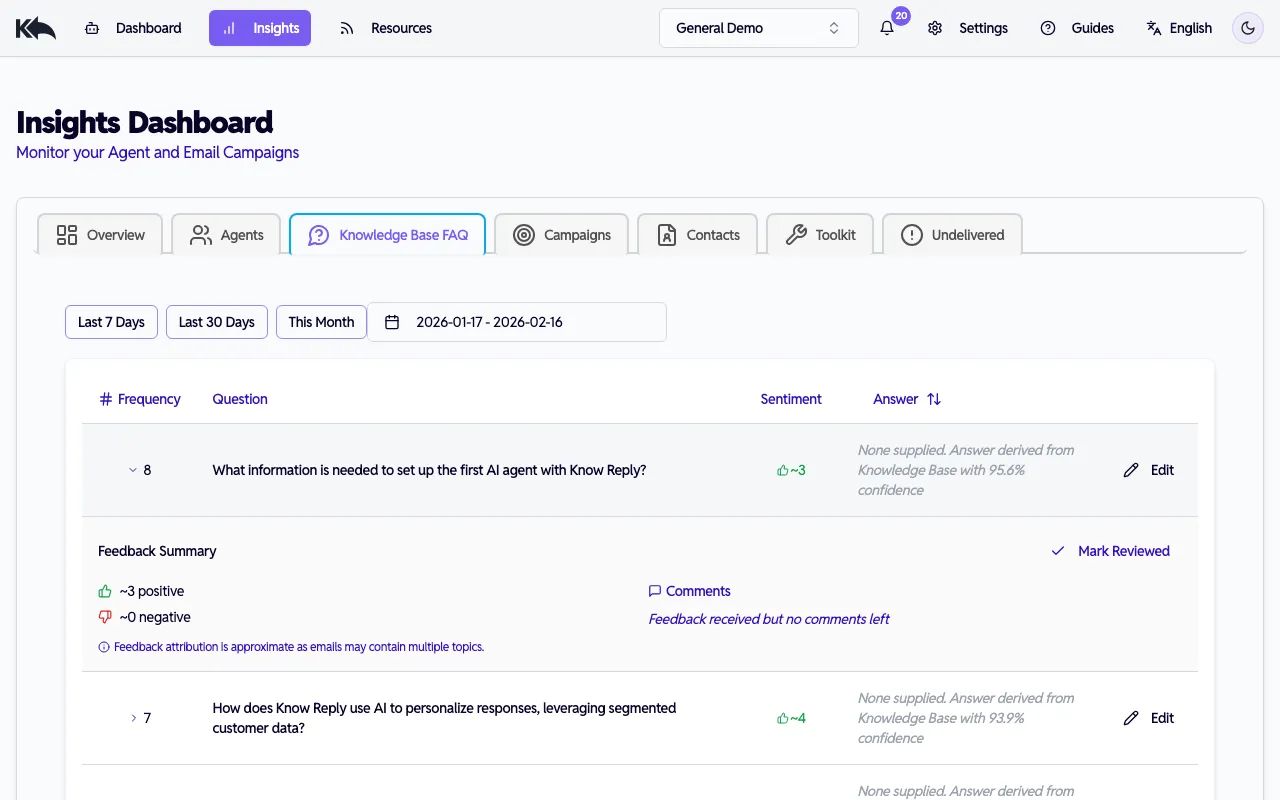
任意のFAQ行を展開すると次を確認できます:
- Feedback summary — 肯定/否定件数と “since last review” 内訳
- Comments — 顧客コメントを “New” と “Reviewed” に分けて感情別表示
- Edit — FAQ回答をインライン更新。保存で自動的にレビュー済みとなり、再埋め込みされます
- Mark Reviewed — 回答変更せず現在フィードバックを確認済みにする。新たな否定評価が増えると再表示されます
頻度、信頼度、回答ステータスでソート可能。インライン編集で回答カバー率を改善できます。
Toolkit Dashboard
Section titled “Toolkit Dashboard”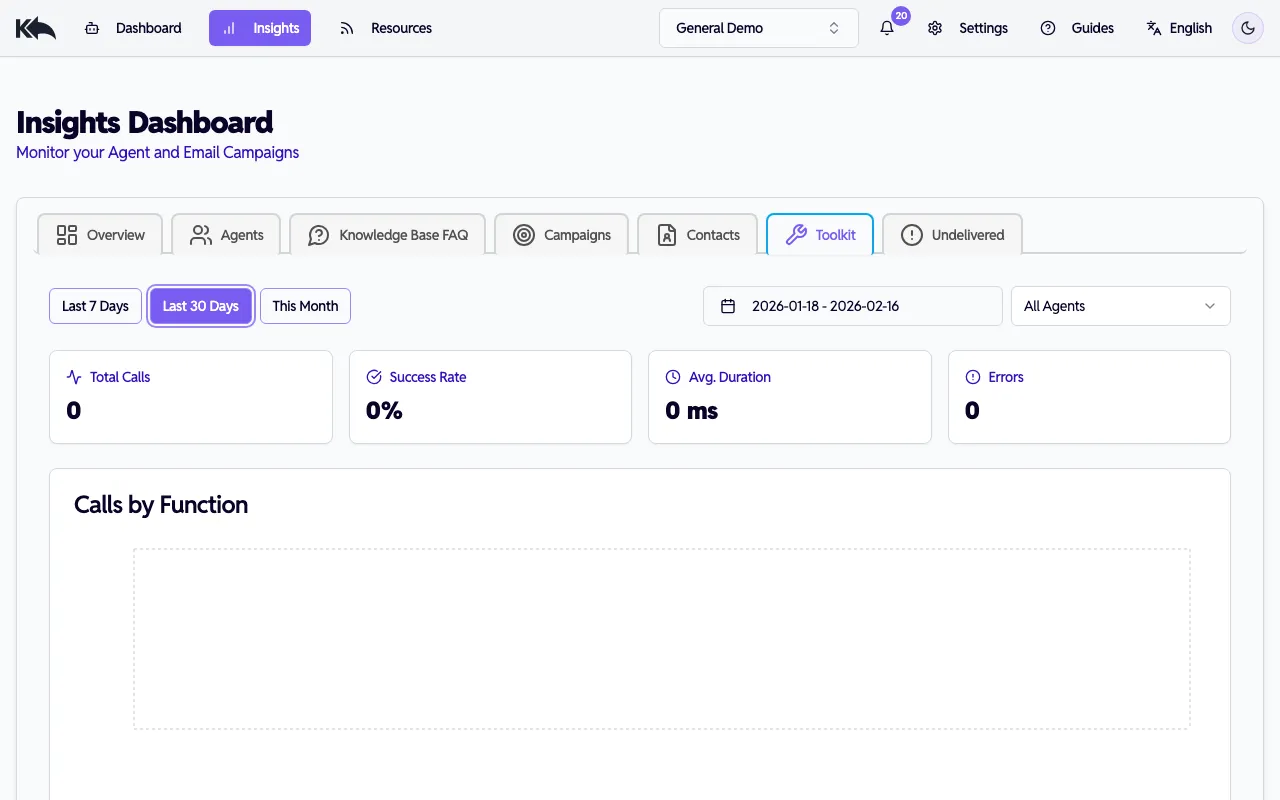
連携の状態をサーバー別・関数別に詳細モニタリングできます:
Summary cards:
- 総コール数、成功率、平均時間、エラー件数
Per-server health table:
- 各接続サーバーに対し、コール数、成功率、平均時間、p50/p95 レイテンシ、エラー件数を表示
- サーバー行をクリックして展開すると per-function stats(関数別同指標)を確認可能
- エラー件数クリックで timestamp 付き完全エラーメッセージを表示
Charts:
- 関数別コール数(棒グラフ)
- エラーパターンタイムライン(折れ線、有料プラン)
Recent events log:
- 直近20件のツールコール(timestamp、server、function、status、duration)
- エラーバッジにホバーでプレビュー、クリックで詳細表示
エージェントまたは日付範囲でフィルタできます。
Undelivered Dashboard
Section titled “Undelivered Dashboard”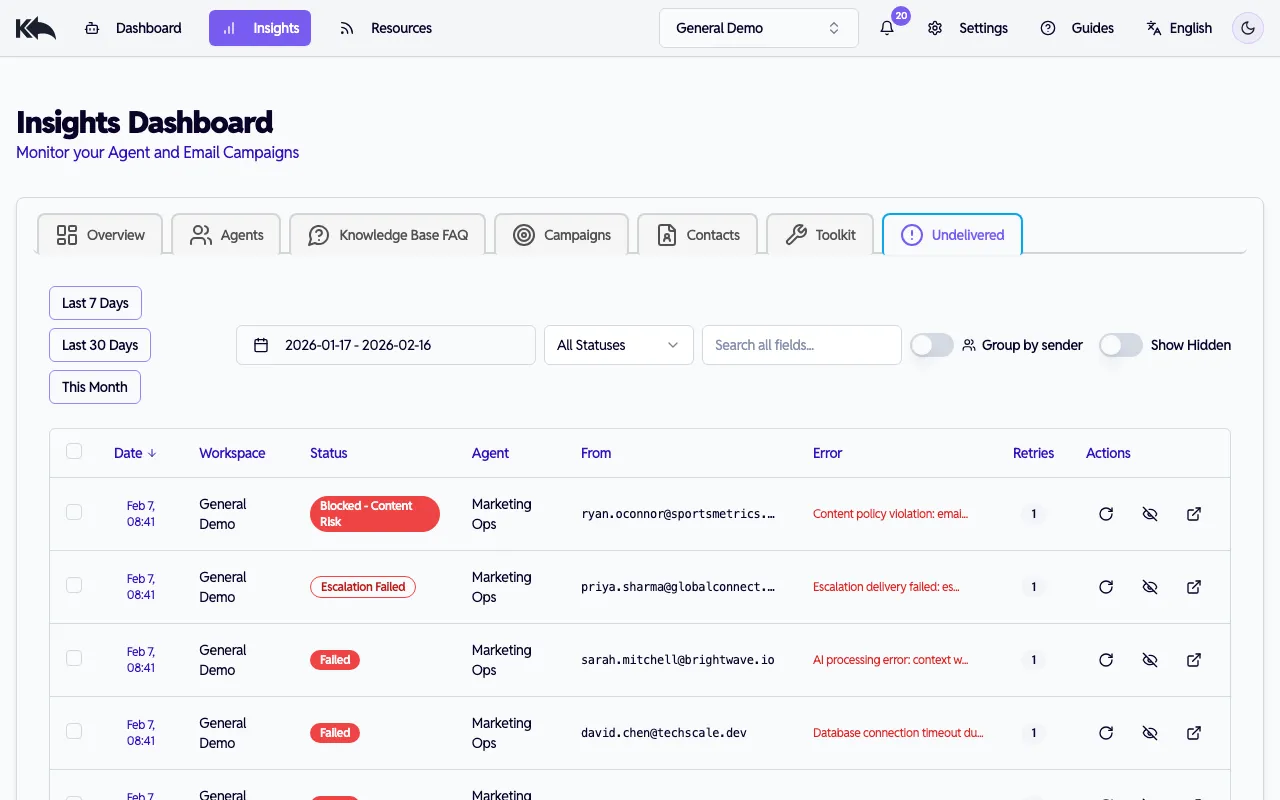
エージェントが処理しなかったメールを追跡:
- Status categories — pending、processed、failed、send failed、unmapped、inactive エージェント、limit exceeded、rejected(spam/bounce/auth)、trust quarantined、trust blocked、rate limited、content blocked、escalation failed など
- Group by sender トグル — 送信者単位にまとめ、最悪ステータス、incident 件数、最終確認日を表示。展開で個別メールを確認
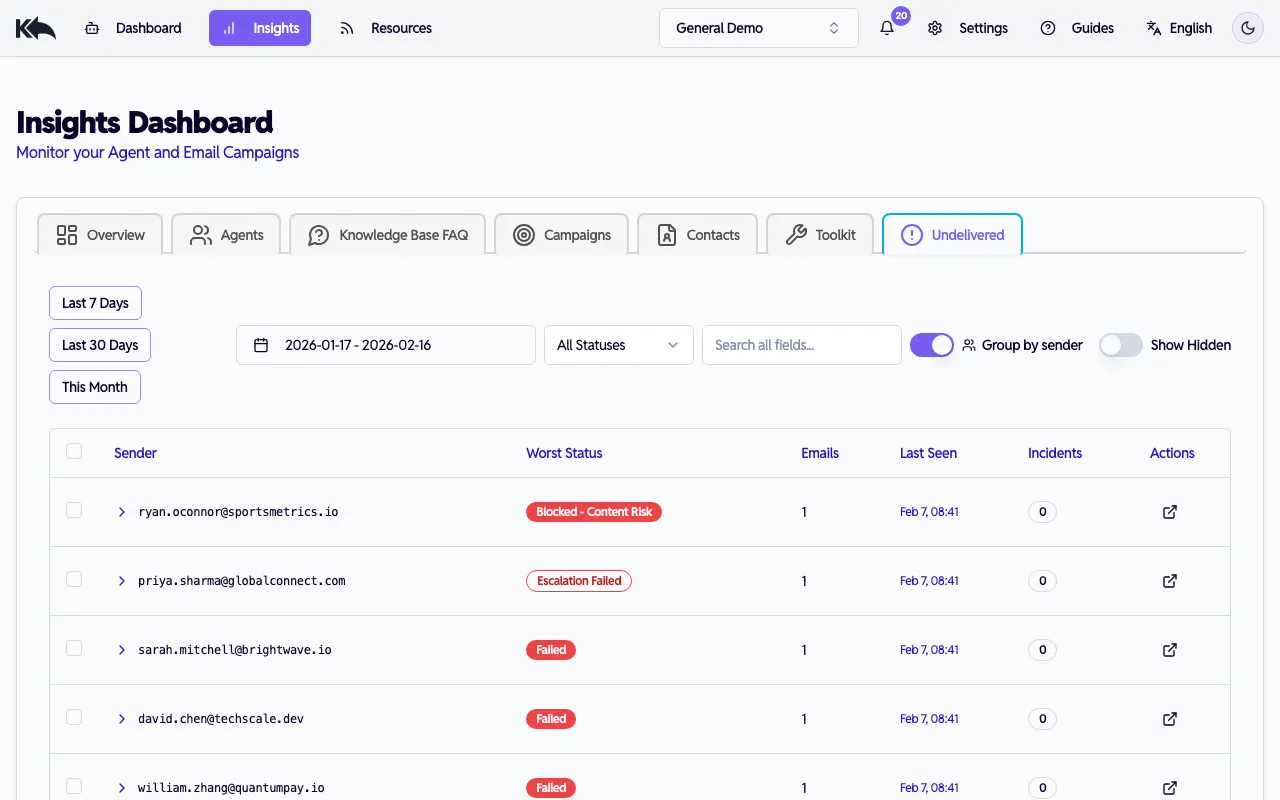
- Actions — メール再試行、既定表示からの非表示/再表示、送信者クリックで連絡先プロフィールとtrust詳細を表示
- Sortable columns — 日付、ステータス、送信者、再試行回数、エージェントで並べ替え
インサイトの活用
Section titled “インサイトの活用”コンテンツ戦略
Section titled “コンテンツ戦略”オーディエンスが尋ねるのにナレッジベースで十分答えられていない質問を把握できます。これがコンテンツギャップで、追加・改善対象です。
キャンペーンフィードバック
Section titled “キャンペーンフィードバック”件名ごとの感情とトピック分布を比較し、反応の良い内容を特定します。
顧客ディープダイブ
Section titled “顧客ディープダイブ”任意の連絡先をクリックすると、質問、返信、感情変化、エスカレーションを含む完全履歴を確認できます。
すべての分析ダッシュボード(Agents、Knowledge Base & FAQ、Campaigns、Customers、Toolkit)は日付範囲フィルタに対応:
- Free tier: 既定は直近7日、データ上限7日
- Paid tiers(Starter以上): 既定は直近30日、データ上限2年
Undelivered ダッシュボードは独自の挙動です:
- All tiers: 既定は直近30日、データ上限2年