
ナレッジベースの構築
ナレッジベースは、エージェントが何を答えるべきかを判断する基盤です。これがないと返信は一般的になります。これがあると、商品、ポリシー、価格、運用プロセスに関する具体的な質問に答えられます。
Webサイトのクロール
Section titled “Webサイトのクロール”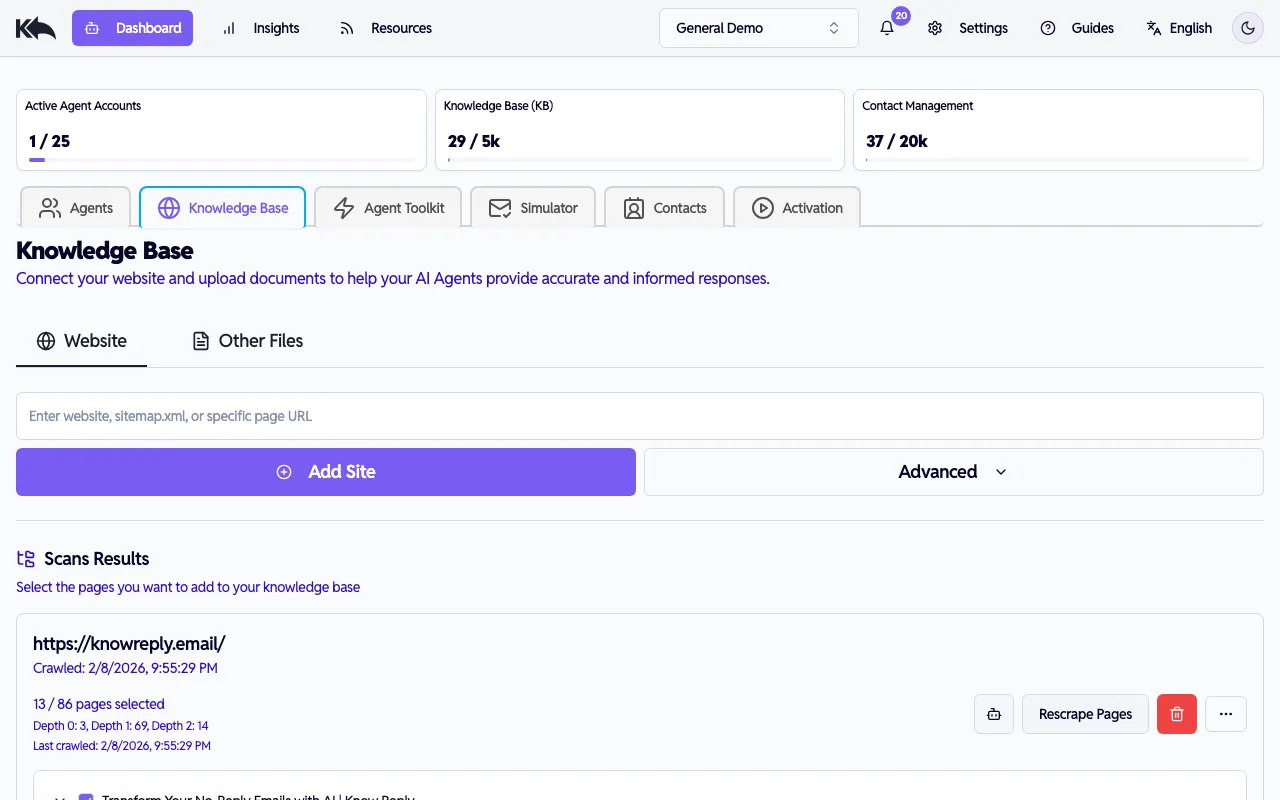
ナレッジベースを構築する最速の方法:
- Dashboard > Knowledge Base > Website タブへ移動
- WebサイトのURLを入力
- Add Site をクリックしてクロール開始
クローラーは次を実行します:
- サイト構造を発見してマッピング
- 関連度でページをランク付け
- 各ページからコンテンツを抽出
- ブランドの文体と用語を把握
クロールステータス
Section titled “クロールステータス”サイト処理の進行状況を確認できます:
- Queued - 開始待ち
- Analyzing - ページを検出中
- Ranking - コンテンツ優先度付け中
- Scanning - テキスト抽出中
- Pages Ready - コンテンツ利用可能
- Completed - 完了
詳細オプション
Section titled “詳細オプション”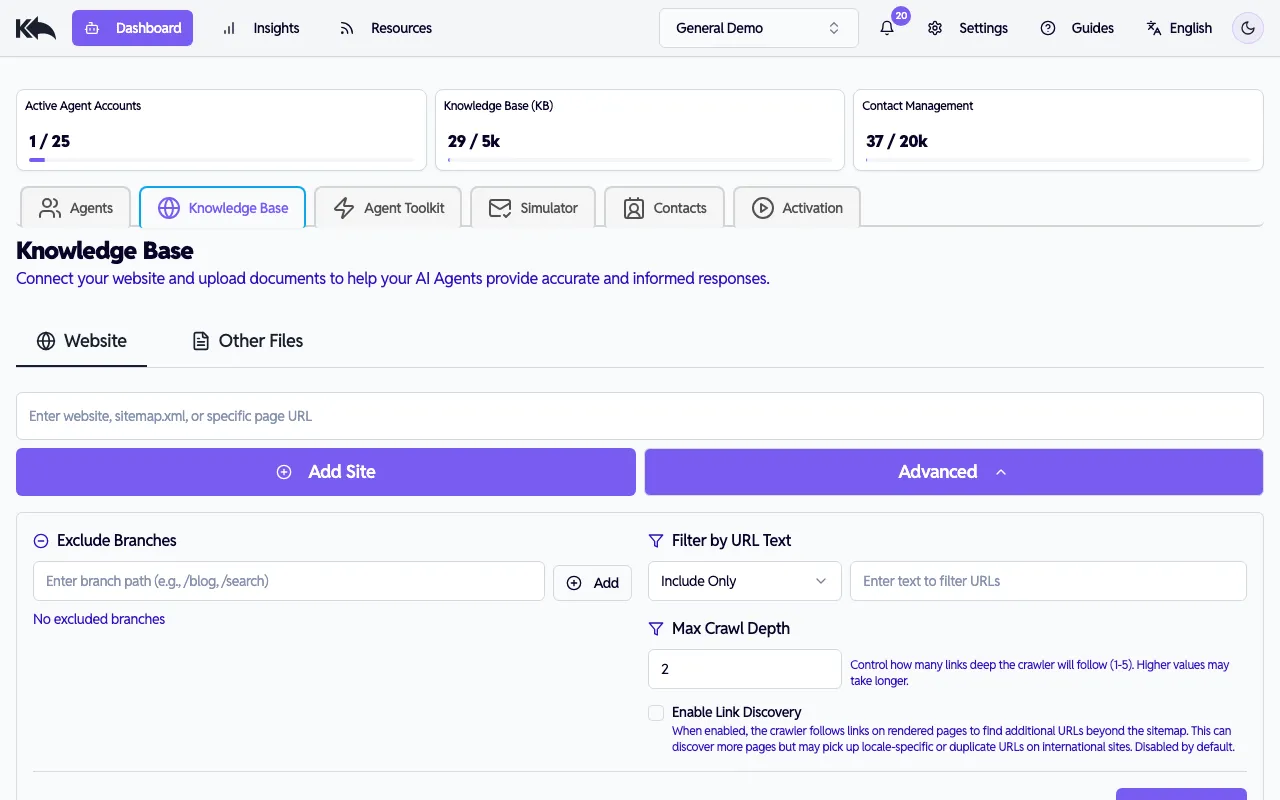
Advanced Options をクリックしてクロールをカスタマイズ:
- Exclude Branches — 特定URLパスを除外(例:
/admin,/login) - URL Filter — テキストパターン一致URLのみ含める/除外(例:
/blog,/help) - Max Depth — クロール深度(1~5、既定2)
- Enable Link Discovery — 有効時、レンダリング後ページのリンクを辿って sitemap 外URLを検出します。sitemap 未掲載ページを見つけられますが、多言語サイトではロケール別URLや重複URLを拾う場合があります。既定は無効。
- Sitemap URL — sitemap.xml への直接URLを指定。空欄で自動検出。
クロール後、検出ページのツリービューが表示されます。含めたいページにチェックを入れ、Save をクリックしてナレッジベースに追加します。
クロール失敗時やコンテンツ更新時は Recrawl をクリックして再実行します。
ファイルアップロード
Section titled “ファイルアップロード”Webサイトにないコンテンツ向け:
- Dashboard > Knowledge Base > Other Files タブへ移動
- ドキュメントをアップロード
- システムがテキスト抽出し、検索可能な知識として追加
適した例: SOP、社内ポリシー、製品仕様、トレーニング資料。
顧客質問からのFAQ回答
Section titled “顧客質問からのFAQ回答”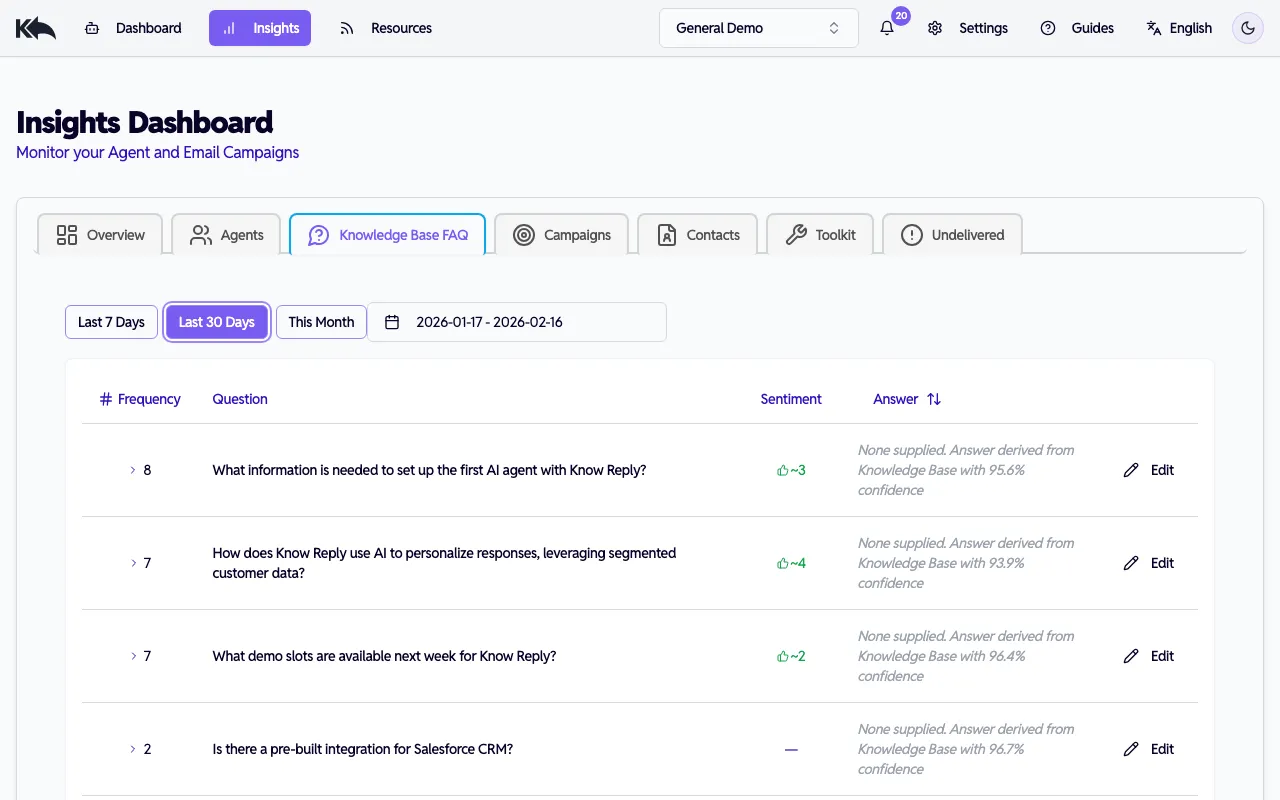
エージェントが実メールを処理する中で、Know Reply は顧客返信の類似質問を自動でFAQにクラスタリングします。Insights > Knowledge Base FAQ で確認できます。
レポートには次が表示されます:
- トピック別にまとまったよくある質問
- 各質問に対するAI回答の信頼度
- ナレッジベースに不足がある質問
- 顧客フィードバック — 受信者からの概算の肯定/否定評価
パフォーマンス低下FAQ
Section titled “パフォーマンス低下FAQ”直近30日で否定評価が3件以上のFAQは、琥珀色背景と警告アイコンで強調表示されます。改善優先度が最も高い回答です。
回答のレビューと改善
Section titled “回答のレビューと改善”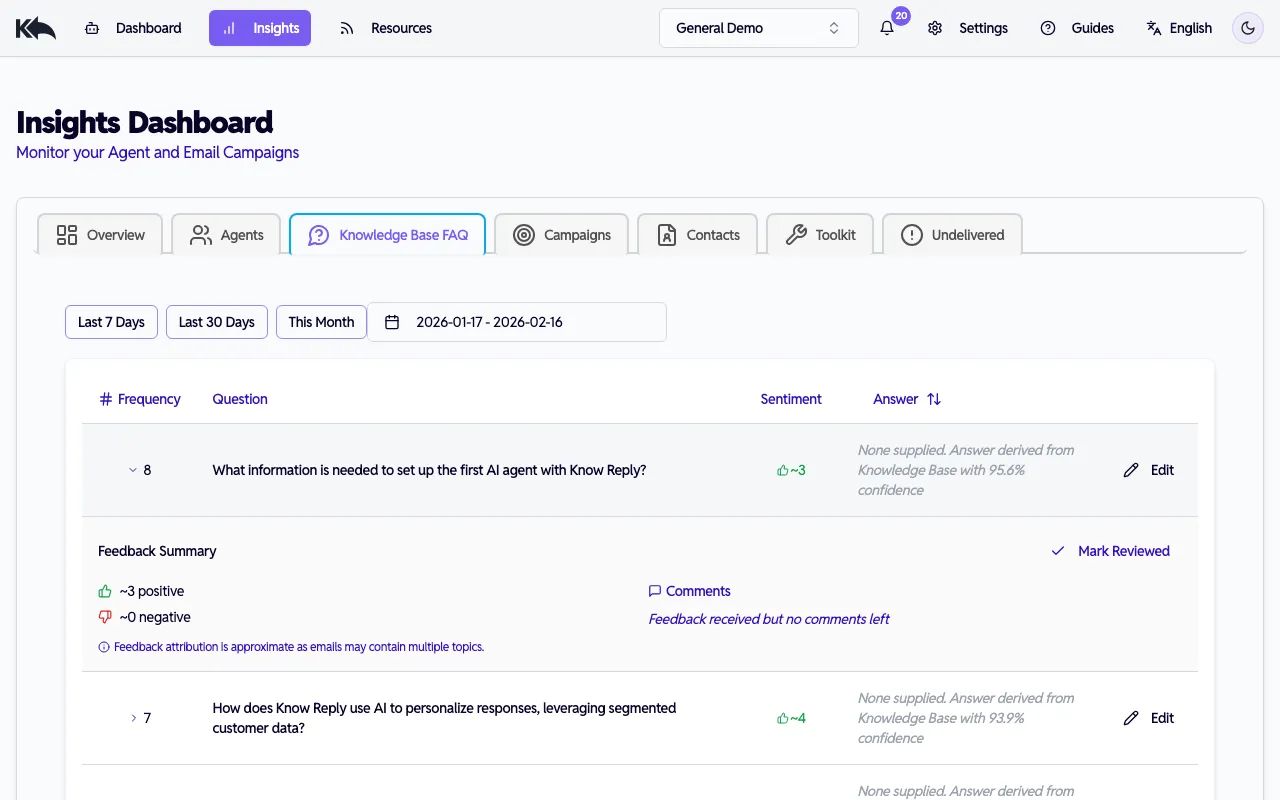
FAQ行をクリックして展開すると、次を確認できます:
- 肯定/否定件数のフィードバック要約(前回レビュー以降の新規件数を含む)
- 「New」と「Reviewed」に分かれた顧客コメント
- 回答をインライン更新する Edit ボタン — 保存すると自動でレビュー済みになり、再埋め込みキューに入ります
- 回答を変更せず確認済みにする Mark Reviewed ボタン
AIがうまく処理できていない質問を見つけたら、レポートから直接回答を追加できます。追加回答はナレッジベースに保存され、今後の返信で使用されます。
検索取得の仕組み
Section titled “検索取得の仕組み”メール受信時、システムはキーワード一致だけでなく意味一致で最も関連性の高い内容を見つけます。顧客が「返品したい」と尋ねると、語句が完全一致しなくても「返金・交換ポリシー」に到達できます。
Embedding 戦略
Section titled “Embedding 戦略”追加した各コンテンツには knowledge embeddings が使われます。利用可能数はプランで決まります。embedding はAIの総知識容量と考えてください。
最初に埋め込むべき内容
Section titled “最初に埋め込むべき内容”まず、顧客質問に直接答えるコンテンツから始めます:
- 自社Webサイト — 商品情報、価格、ポリシーを中心にクロール
- FAQコンテンツ — サポートチームが繰り返し答える質問を追加
- 重要ポリシー — 返品、配送、解約、保証
ファイルアップロードを使うタイミング
Section titled “ファイルアップロードを使うタイミング”Webサイトにない社内資料をアップロード:
- SOPと手順ガイド — よくある状況への対応方法
- 製品仕様書/データシート — 詳細な技術情報
- トレーニング資料 — 組織知を含むオンボーディング文書
- 社内ポリシー — 人事、コンプライアンス、運用ガイドライン
対応形式: PDF、DOCX、TXT、Markdown、画像(JPEG、PNG。文字抽出あり)。
ドキュメントグループで整理
Section titled “ドキュメントグループで整理”関連コンテンツをまとめ、どのエージェントがどのグループへアクセスするか制御します。営業エージェントは仕様と価格が必要な一方、サポートエージェントはトラブルシューティングと返品ポリシーが必要です。
ナレッジをスケールする
Section titled “ナレッジをスケールする”事業拡大に伴い、新商品・新サービス・新トピックをカバーするため、より多くの embedding が必要になります:
| Plan | Embeddings | Good for |
|---|---|---|
| Free | 20 | 重要ページ数枚でのテスト |
| Starter | 100 | 小規模事業サイトと中核ドキュメント |
| Pro | 1,000 | 複数商品ラインと詳細ドキュメント |
| Premium | 5,000 | 大規模カタログと広範なナレッジベース |
| Enterprise | Unlimited | エンタープライズ規模のコンテンツライブラリ |
- 量より質 - よく書かれた50回答は、定型文だらけの500ページより有効
- FAQレポートを確認 — Insights > Knowledge Base FAQ でAIが苦戦する質問を確認。低パフォーマンスFAQ(否定3件以上)が強調表示されます。顧客コメントを確認し、回答を編集し、レビュー済みにしてください
- エージェント単位アクセス制御を使う - すべてのエージェントに全知識を与えない。関連知識に絞ったエージェントの方が高性能です
最新状態を保つ
Section titled “最新状態を保つ”大きなコンテンツ変更後はWebサイトを再クロールし、新規文書ができたらアップロードしてください。エージェントは常に最新コンテンツを参照します。