
Conectar correo electrónico
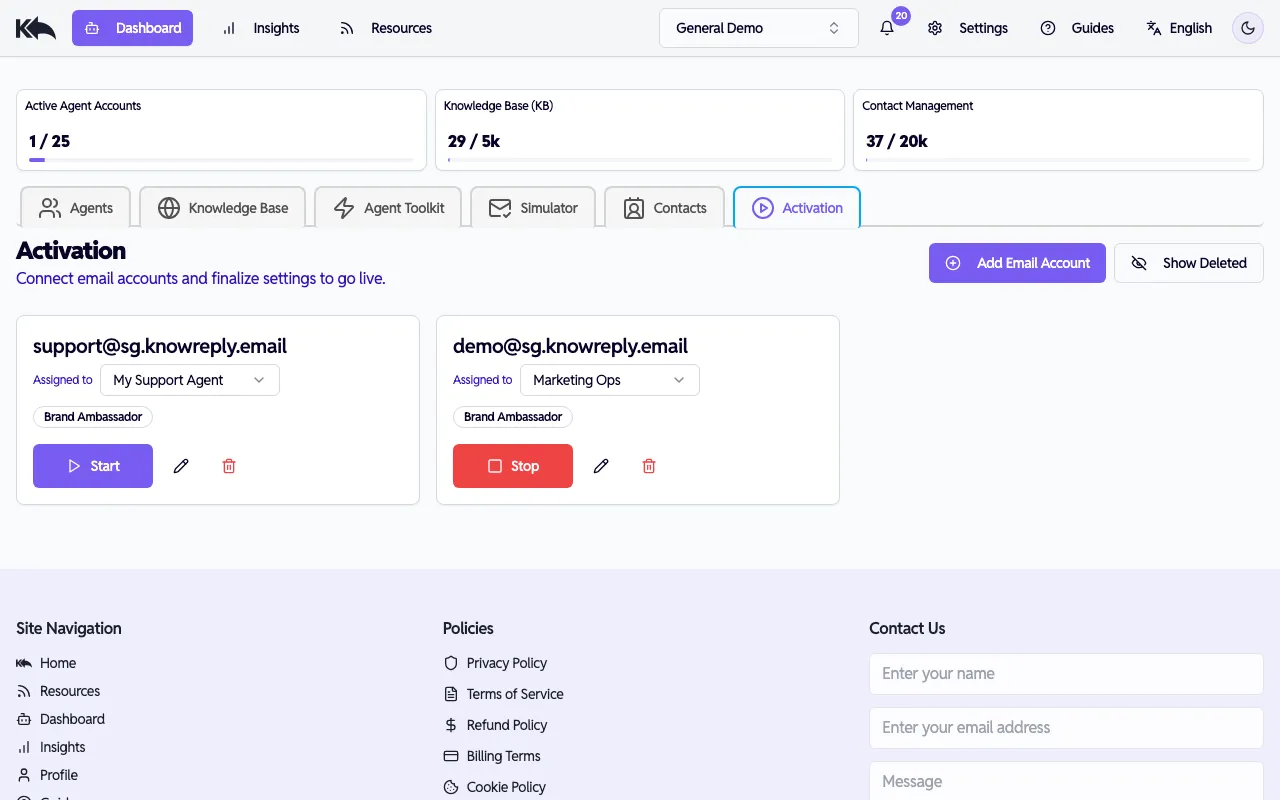
Know Reply admite varias formas de conectar una bandeja de entrada. Elige el método que mejor se adapte a tu configuración.
Gmail (OAuth)
Sección titulada «Gmail (OAuth)»El método recomendado para cuentas de Gmail. Seguro, sin almacenar contraseñas.
- En la configuración de tu agente, haz clic en Connect Email
- Elige Google
- Haz clic en Connect Now
- Inicia sesión con la cuenta de Google dedicada para este agente
- Otorga los permisos solicitados
Know Reply empieza a supervisar la bandeja en unos minutos.
Microsoft 365 (OAuth)
Sección titulada «Microsoft 365 (OAuth)»Para organizaciones que usan Outlook o Microsoft 365:
- Haz clic en Connect Email
- Elige Outlook
- Haz clic en Connect Now
- Inicia sesión con tu cuenta de trabajo de Microsoft
- Puede que un administrador deba aprobar los permisos de la app en Azure AD la primera vez
Después del consentimiento, el agente sincroniza y empieza a procesar.
IMAP / SMTP
Sección titulada «IMAP / SMTP»Para proveedores que no admiten OAuth (Zoho, Fastmail, Yahoo, dominios personalizados):
- Haz clic en Connect Email y elige SMTP/IMAP
- Completa los datos de conexión:
| Campo | Descripción | Ejemplo |
|---|---|---|
| Email Address | Bandeja a supervisar | support@example.com |
| Username | Normalmente igual al correo | support@example.com |
| Password | Tu contraseña de correo, o una contraseña de aplicación para Gmail, Yahoo e iCloud | |
| IMAP Host | Servidor de correo entrante | imap.gmail.com |
| IMAP Port | Normalmente 993 con SSL | 993 |
| SMTP Host | Servidor de correo saliente | smtp.gmail.com |
| SMTP Port | Normalmente 587 o 465 | 587 |
- Haz clic en Test Connection para verificar entrada y salida
- Haz clic en Add Account para guardar
Configuración común por proveedor
Sección titulada «Configuración común por proveedor»| Proveedor | IMAP Host | SMTP Host |
|---|---|---|
| Gmail | imap.gmail.com (993) | smtp.gmail.com (465) |
| iCloud | imap.mail.me.com (993) | smtp.mail.me.com (587) |
| Zoho Mail | imap.zoho.com (993) | smtp.zoho.com (465) |
| Fastmail | imap.fastmail.com (993) | smtp.fastmail.com (465) |
| Yahoo | imap.mail.yahoo.com (993) | smtp.mail.yahoo.com (465) |
ESP Webhooks
Sección titulada «ESP Webhooks»Si envías a través de un ESP como Postmark, SendGrid o Mailgun:
- Haz clic en Connect Email y elige Webhook
- Selecciona tu proveedor (Postmark, SendGrid o Mailgun)
- Ingresa tu clave API
- Para Mailgun, ingresa también tu dominio
- Haz clic en Connect Now
En el panel de tu ESP, configura la URL de webhook proporcionada como destino de Inbound Webhook. Las respuestas a tus campañas y correos transaccionales se reenviarán automáticamente a Know Reply.
Cambiar conexiones
Sección titulada «Cambiar conexiones»Puedes desconectar y reconectar en cualquier momento. Ve a la configuración de correo, haz clic en la conexión y elige Disconnect.